Subscribe:
#

Labels

Monday, March 28, 2011

How to Improve Alexa Ranking Quickly

Alexa Ranking is a site ranking assigned by Alexa Internet to measure websites' popularity. It claims to use a number of factors in deciding the site popularity, but really it depends mainly on usage data collected by the Alexa toolbar.

The higher the ranking is, the smaller number is the rank given. Based on Alexa, Google (Alexa Ranking 1) is the most popular website in the Internet, followed by Yahoo(2), Facebook(3), and Youtube(4).

You can see website ranking in your browser after installing the toolbar or just check it at Alexa website.

How accurate is Alexa Ranking?
In a perfect world, Alexa user base would be a fair statistical sample of the Internet user population, and thus the ranking should be quite accurate in comparing popularity of one site to another.

However, in reality Alexa Ranking is hardly reliable. Alexa ranks sites based on tracking information of users of the Alexa Toolbar for Internet Explorer and from plugins in Firefox; thus the ranking is greatly dependent on the number of toolbar or plugin installed among the site visitors.

Websites targeted to webmasters and web designers generally do better in Alexa Ranking compared to websites in other niche, e.g. food or pregnancy. That is largely because webmasters are more willing to install the Alexa toolbar to check on the competitors' Alexa ranking as well as to push up their own ranking.

Internet users in some countries are also more willing to install the Alexa Toolbar compared to others. I have seen a Singapore website with 10k visitors a day ranked 60k in Alexa, while an Indonesian site with just 1k visitor a day ranked 30k in Alexa.

How To Get Higher Alexa Ranking Easily

Less than a week ago, the 7 day average of Cheatad.com Ranking was 165,534. Today, the 7 day average has advanced to 93,963, with yesterday 1-day ranking was an even better 67,568.

At 67,568 it means that Cheatad ranks better than my other website which has 40 times more visitors and 120 times more pageviews. That is absolutely amazing, or ridiculous, depending how you see it.

The main factor of Alexa Ranking calculation is the number of visits by the Alexa toolbar users. Knowing that, it is quite easy to improve Alexa ranking for your website. As long as more of your visitors have the toolbar installed, your ranking will shoot up.

Here is the five easy and simple ways to rank higher in Alexa:

  1. Install Alexa Toolbar Download and install Alexa Toolbar. If your browser is Firefox, you can either use the Sparky plugin (official Alexa toolbar for Firefox) or SearchStatus plugin. I personally use Search Status for the other nice functions like ability to highlight nofollow link, calculate keyword density, etc.
  2. Encourage Others To Install Alexa Toolbar This includes your blog readers as well as friends. The point is, it should be easier convert your current regular visitors to use the toolbar rather than getting new visitors that happen to have Alexa toolbar installed.
  3. Write About Alexa Ranking Posting an article about Alexa Ranking is a good way to attract more webmasters to your blog, most of whom have the toolbar installed.
  4. Participate In Webmaster Forums Again, most webmasters have Alexa toolbar installed. When allowed, make sure to include your blog URL in the forum Signature. Some interested webmasters might just click to visit your blog.
  5. Reload Your Pages Incessantly With your Alexa toolbar installed, read back all articles you have written, and try different searches, which in effect will increase the pageview count.

Well, try them and you will notice your Alexa Ranking shooting up. Of course, you need to make sure you actually have got good contents and good number of visitors too. Otherwise the Alexa rank that you have gained will be short-lived.

5 free home design software

Here are 5 free home design software that let you design various aspects of your home. Some of these let you design floor plan, some let you design complete interiors, and some let you decide furniture placement. Using these online interior design software you will be able to get a pretty good about how your home will look.

Home Design
Sponsored Links

Autodesk Homestyler

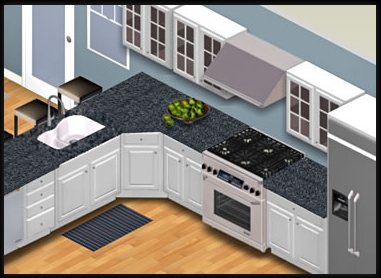
Autodesk Homestyler was originally launched as Project Dragonfly. Autodesk Homestyler is free home design application that styles your home free for you. Easy to use software and easy conceptual designs for your home layout can be made through this freeware. The application is web based and you start designing your house layout quickly with this free tool. Create beautiful graphic interiors for your dream house and you need not even pay huge sums for professional designers and other.

The application is very easy to handle for those who have slight idea of their floor plan and arrangements. The easy drag and drop method will help you guide you through the designing mechanism. For using this freeware, you do not even need to register with the site. Just get started with the application and design your interiors. You can start designing from the very first step or just choose your layout from the application gallery.

You can create your layout plans with this application. Create entirely new floor plans or new space for your living room or kitchen side when you use this application. Layout rooms, size floor plans, and add in details like doors, windows, and furnishings in just minutes. The application also contains a wide range of product catalog. You can choose over 22000 generic and brand name items in the freeware product catalog. Se the product info and high quality image of the product with this application.

View your newly created space in 2D or 3D mode with the application. Your layout snapshots will let you feel your space right in front of your eyes, as if you are standing in the your house. Get the right texture, lights, and colors that soothe your sense and want your space just it is. Finally share your designs with your friends and designs professionals for their feedbacks and modifications.

Try Autodesk Homestyler.

Sweet Home 3D

Sweet Home 3D is free interior designing application that plans your house layout and floor plan. The application is designed for those users who want to create their interior designs quickly and without any professional help. Create quick designs for your interiors or just redesign your space for renovation or paints.

The application gives you numerous visual guides help you draw the plan of your home and layout furniture. You can alter the existing designs by putting up a wall for adding furniture in your space, this will let you imagine as to how your new space is looking like. Drag and drop furniture onto the plan from a catalog organized by categories. Each change in the 2D plan is simultaneously updated in the 3D view, to show you a realistic rendering of your layout.

The application is downloadable and even can be used online. You can install the application in your system and use it often for your commercial use that too for free. Moreover, if you are suing this application for personal purpose and intend to use it once or twice, than you may use the web-based interface of the application. The freeware offers same features for the both kind of usage. If you are using this application online, your homes will be saved on the server of this website once you registered.

Each Sweet Home 3D window edits the interior design of a home and is divided in four resizable panes, with a tool bar at its top. The resizable pane has catalogues that will direct and give you ample of choice as to which furnishing you want to choose, the plan you would like and furniture list that you would consider. The fourth pane in the interface displays your home in 3 dimensions. You may see your home in this pane either from the top, or from a virtual visitor point of view.

Read more about Sweet Home 3D, or download free here.

3D Home Design by LiveCAD

3D Home Design by LiveCAD is free application allowing you to design your space online with all the professional tools and regulatory standards. View your designs in 2D and 3D mode or just import your digital designs in this application for using tools and techniques that will enhance your designs. The application be used by personal users as well as professional ones.

The application has tools that will simultaneously let you view your sketches and design images with the two-dimensional or three-dimensional modes. Edit the length of a wall with the numeric keypad along with using the wall’s inside, outside or internal dimensions. Freeware allows you to choose among wide range of 3D objects and textures for decorating and furnishing your space. The objects with realistic view can be used to snapshot your designs so that you can imagine your designs with better understanding.

Design your indoor furnishing with each and every details. Create walls, stairs mezzanine, balustrades, and much other important and difficult part of your furnishings with minute details. Quickly apply textures or materials to all the elements of your project and personalize the placing of wall and floor coverings from various angles.

The application is very helpful when it comes to designing your kitchens and bedrooms. If you just planning to renovate your bedroom or kitchen, than this program will give you helping hand, as to what you may consider while planning reconstruction. Add furniture and fixtures to your space and customize your design elements for dimensions, handles, color, etc.

Read more about 3D Home Design, or download free here.

Roomle

Roomle is free online program to sketch your room space and furnish them. The software is free to use and you can use the application online without any external software. You need not download or install any kind of software. Just simple register yourself with the application and start designing your space. As a registered user, you can draw up as many plans as you wish and access them at any time.

What can you do with Roomle?

Plan your living space online with this web-based tool. Draw floor plan easily with this application and customize them with your own house and layout designs. You can also upload a sketch in the application interface and the program will automatically suggest you floor plan according to the sketch. If you are furnishing your house with some new ones, then you can draft a sketch of your furnishings and floor plan and adapt them to your requirements.

The application interface is very simple to handle. The interface is designed with easy to use mechanism and you can master all the commands and functionality with great ease.

When you have registered with Roomle your designs and plans are saved in the server. Thus you can manage your plans and store them at single place for easy access.

Share your plans and designs with your family or other professionals. And collect feedbacks on what you have designed. The advice and inputs of others will help you to make your designs even more better.

The application interface of Roomle is very simple yet classy. When you start designing your room online with this freeware, you will be directed to the window, which is drawing area for you. You can draw your space using pen or use the ready drawn furnishings on the drawing space. There are numbers of furnishings available that can be used by you directly or customize them according to your preferences.

Read more about Roomle, or try free here.

PlacePad

PlacePad is free software that sketches excellently the floor plans and room space that helps your designers to work on more easily. The sketch pad provided by the application is for free and you can create easy sketch of the floor plans and room space. The sketching tools used by the software are refined and known for better usability. It should be kept in mind that application does not provide any designing tools, it just give you freedom to sketch your layout.

Since the application allows you to sketch the floor plan, you cannot diagram your drawings. The measurements and details are generally not required in the sketching. Sketching is little rough and that’s what this application offers you. Adding measurements would make the floor plan creation much more of a chore since it would require actually measuring rooms, writing all that down, etc.

Unlike other applications listed above, this freeware is little raw and does not overload itself with other features. You can easily create sketch of your room, bedroom, or kitchen with easy floor plans. This application is useful for them who just want to sketch and explain others their party area, their garden layout, or just space layout. You need not think about measurements enough to an online floor plan to warrant the added time and complexity.

Placepad simplifies the creation of a floor plan in several ways. It quickly walks you through describing your place and uses that information to build the rooms needed for your floor plan. Generally when you use this kind of sketching tool, you just try to draw ad sketch your floor plans. However, with this freeware, you just need to mention the details of the number of floors, bedrooms, bedroom positions upstairs and downstairs and that is it. The freeware will do rest for you.

Read more about Placepad, or try free here.

Sunday, March 27, 2011

Increase Visitors

1.SEARCH ENGINE:

 
It brings lots of traffic to your blog.There are millions of people search in the search engines like Google,Yahoo,msn everyday.So,if your blog has so many good posts and is well indexed by Google,etc..you will get a good amount of traffic via search engines.There are a few steps to look at if you want a decent amount of traffic from the search engines like "submitting your blog site map to Google",yahoo to index you blog pages very quickly.And the other important one is adding meta tags to your blog.If you follow these two simple steps,then you will get a decent traffic.
 

2.Submitting your blog to Blog Directories:


You may know this before,submitting your blog to blog directories will bring you a good traffic.
Here is a good list of blog directories(there are so many directories,but the below one's will bring you a good traffic).Most of these blog directories ask you to register before you submit your blog.My suggestion is,create a new email address solely for this purpose so,your personal emails are not flooded with the emails sent by the blog administrators,etc.
You can find the Blog directories list here.
 

3.Participate in forums,groups,etc:


Just go to Google and enter your [major keyword + forum] or [keyword+groups] and search.Suppose,your blog is about blogging,then search 'Blogging forum'.You will find some forums,groups related to your site.Register in the forums and post articles,etc with a link back to your blog(as a signature).Answer questions,clarify doubts and provide a link to your blog.But,Don't SPAM.

4.Social Bookmarking:


Social Bookmarking is another way to build good traffic to your website/blog.If you don't know what Social Bookmarking is
"Social Bookmarking is a practise of saving Bookmarks,tagging the posts with keywords in a website".Bookmarking means saving a specific website URL(address) in your browser that you wish to visit later.There are so many Social Bookmarking sites like del.icio.us,digg,furl,technorati.
One good thing about these Social bookmarking sites is,you will get instant traffic.Just register with them,store your bookmarks,tags,.. and you are done,See your site meter blasting with traffic.
 

5.Submit Articles to Article Directories:


Submitting articles to article directories is another effective way to build more traffic.By submitting to them,your articles get massive exposure and gain you more traffic.
Some of the popular article directories are goarticles.com,ezinearticles.com,articlecity.com,etc.
There are hundreds of article directories,just Google it.
 
6.Leaving Comments on other blogs:Leaving comments with a link back to your blog is another good thing to do.Leaving comments in the related blogs is more useful and it also increases your PageRank.Always leave good comments and don't Spam.
You will get much of visitors if you have rich contents.I assure everyone.

Saturday, March 26, 2011

Best WordPress Stats Plugin

image

There are a plethora of WordPress Plugins and addons for tracking statistics. This is great because you then get your pick of the litter, but the problem is if you install three different tracking plugins you will get three different results. So what should you do with these choices and discrepancies in results?

Not to worry, I have a few answers to calm your worries. I do not have a definitive answer as to what is THE best stats plugin, but that’s mostly because ‘best’ is very relative in this situation. Though, lets start with probably the best known system: Google Analytics.

Google Analytics

Google Analytics has more or less anything you’d need. It has stats by hour, day, month and year. Keyword tracking, ‘segments’ (for tracking different time periods and improvements in those times), and a heck of a lot more.

image

The 7 x’s are your account number, and the Y is the number of the website attached to your account. So your first website will be -1, your second one added will be -2 and so on. You can find it these numbers at: https://www.google.com/analytics/settings/home

imageIf you’re website isn’t added, all you have to do is create a website “Profile” as Google calls it. There is a button on that home page on the bottom left. It’ll look something like the image on the right.

So which out of the plugins should you pick?

For the easiest choice, pick (what I did) and use: Google Analytics For WordPress. It’s ‘basic’ configuration is very simple. In the image below, you can see both the simple settings, the top potion, and the more advanced settings on the bottom. It’s extremely customizable with click tracking. So I find that very useful. It’s the one I recommend everyone to use.

image

Here are two great plugins which can help you get a better picture of your site’s visitors. I recommend installing both:

WordPress.com Stats

image

This is one of the simplest looking plugins you’ll ever get.  It connects to your WordPress.com account. This, like the Google Analytics, is all off-site. If you don’t want to deal with Google, this plugin will give you the best overall picture day to day. It’s not as accurate as I’d like it to be. For whatever reason it misses somethings here and there. But it’s pretty good overall and I check it regularly for referrals, keywords and clicks.

StatPress

image

This plugin is … something different. It gives you such accurate results it’s scary. But, there is a huge problem with this plugin. It’s onsite, which I love, but it’s so un-Godly slow. The website works the same, but loading the statistics view is SO slow I can make myself a cup of tea and it’ll still be loading sometimes. Then again that can be attributed to my slow server …..

It tracks significantly more than WordPress.com Stats does and not as much as Google’s. But it’s more accurate than either.

It’s the best for getting a quick overview of the recent visitors and it’s fun to ‘spy’ on current visitors. The screenshot above is of the landing page. There are other views including an ‘overview’ screen, spy screeen, details …. it really has a lot and it’s fun to check out exactly what users are looking at my site! I highly recommend this one.

Those are the 3 plugins I primarily use. I use all three to get the best picture and just one isn’t good enough. Each has it’s pluses and minuses.

Recently I started using two new services/plugins: So I haven’t really tested either yet, but both seem promising:

  • WassUP with VStats (these are two plugins. Wassup is the plugin and service. Vstats is an addon plugin)
  • QuantCast

If you liked this article then let me know!